Git for Beginners: Basics and Essential Commands
What Is Git?
Git is a distributed version control system (DVCS).. it helps you track changes to files manage different versions of your project, and collaborate with others—all while keeping a complete history of every change on your own computer.
Distributed: Every developer has a full copy of the project’s history, not just the latest version.
Versioned: Git records every change, allowing you to revisit, compare, or restore previous states.
Collaborative: Multiple people can work on the same project simultaneously, merging their changes efficiently.
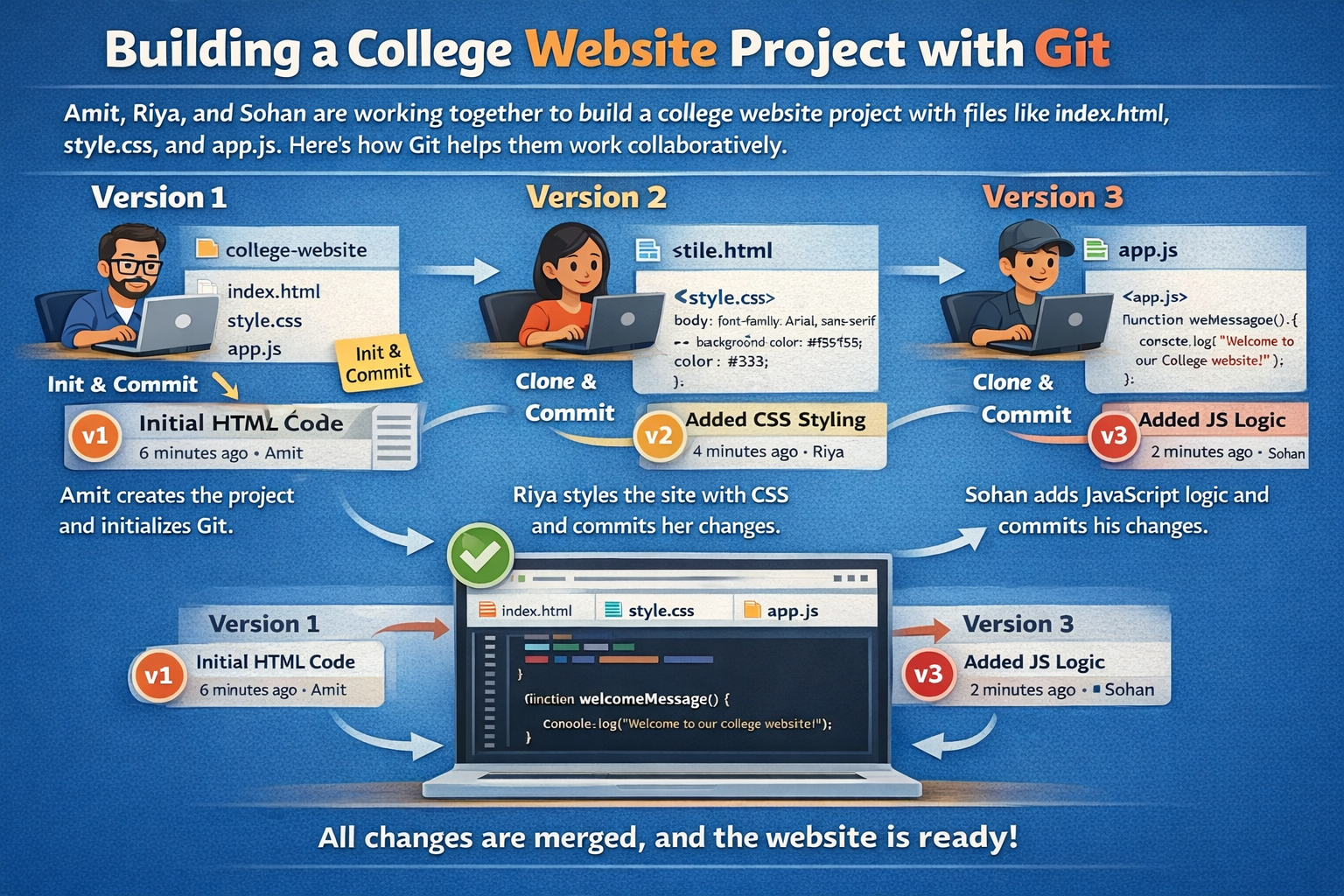
💡Example : Three developers use Git to work on the same website project—one adds HTML, another adds CSS, and the third adds JavaScript. Git saves every change as a version and merges all their work safely into one final project.
Why Use Git?
Git helps multiple developers work together safely, keeps a full history of every change, and allows easy rollback if something goes wrong. It works fast even without internet, protects data integrity, and integrates with tools like GitHub. In short, Git makes software development faster, safer, and more organized.
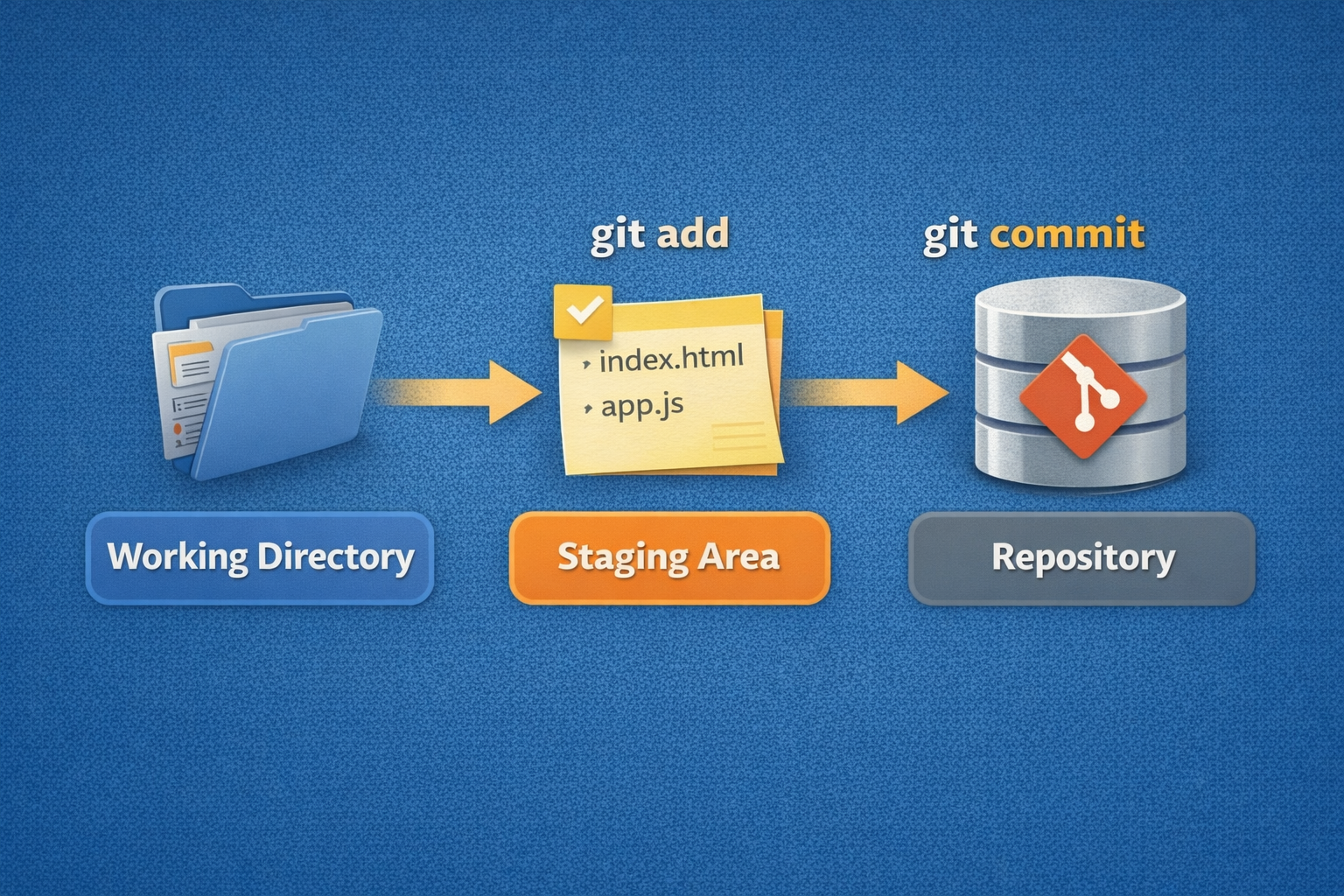
Git has three main steps where your files move.
First is the Working Directory — this is your normal project folder where you write and edit files. Git does not save these changes automatically.
Second is the Staging Area — this is like a preparation table. You choose which changes you want Git to save in the next version.
Third is the Repository — when you commit, Git permanently saves those staged changes as a new version in its history.
Git Basics and Core Terminologies:
| Term | Simple Definition |
| Repository (Repo) | The database where Git stores your project’s files and full history. Exists locally and/or remotely |
| Commit | A snapshot of your project at a point in time, with a message describing the change |
| Branch | An independent line of development—like a parallel universe for your code |
| HEAD | A pointer to your current branch or commit; tells Git “where you are” in the history |
Common Git Commands
1. git init — Initialize a New Repository
2. git status — Check the State of Your Project
3. git add — Stage Changes
4. git commit — Save a Snapshot
5. git log — View Commit History
6. git push / git pull — Share and Receive Changes